
Transfer your Enphase monitoring to Seed Solar
Making Seed Solar your system maintainer lets our local Colorado team see your system's health, diagnose problems remotely, and service your microinverters. It takes about five minutes in the Enphase App — here's how, step by step.
The screenshots below are from Enphase's official guide, so what you see on your phone should match.
Open the Enphase App and sign in
On your phone, open the Enphase App (the same app you use to check your solar production) and sign in with your homeowner account. If you don't have the app, download "Enphase" free from the App Store or Google Play.
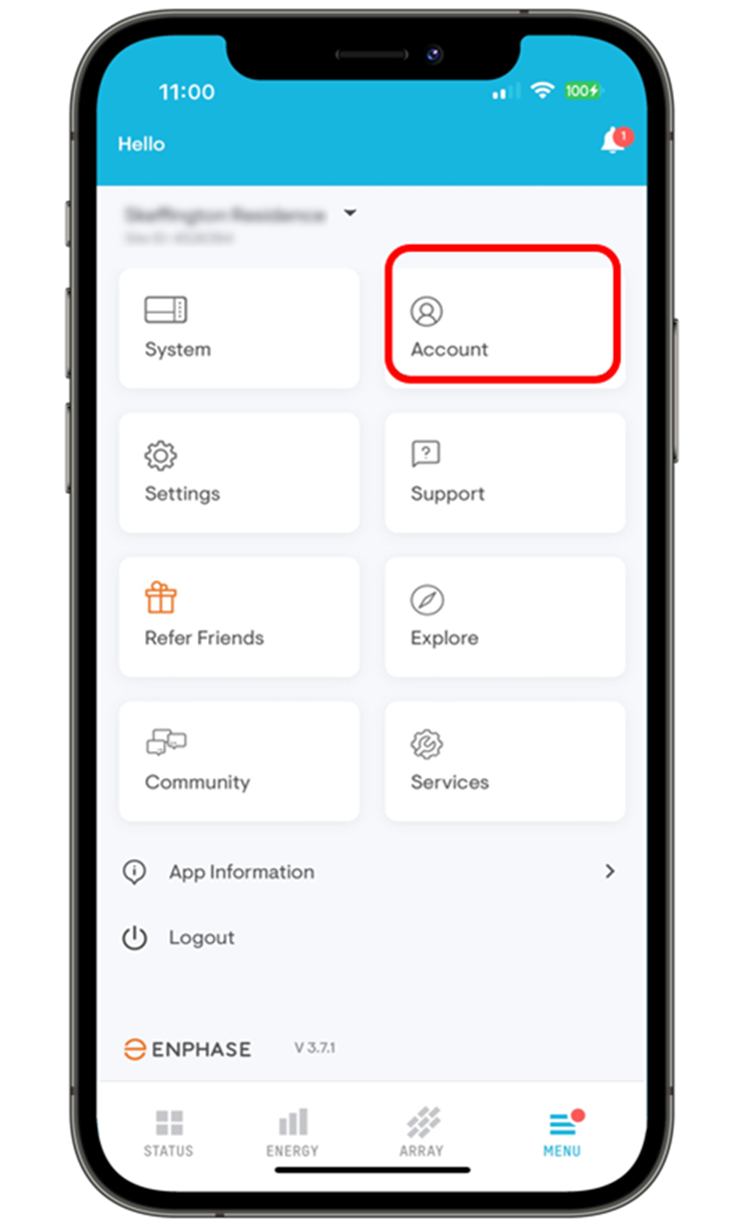
Tap Menu, then "Account"
Tap the Menu tab (bottom-right corner), then tap the Account tile.
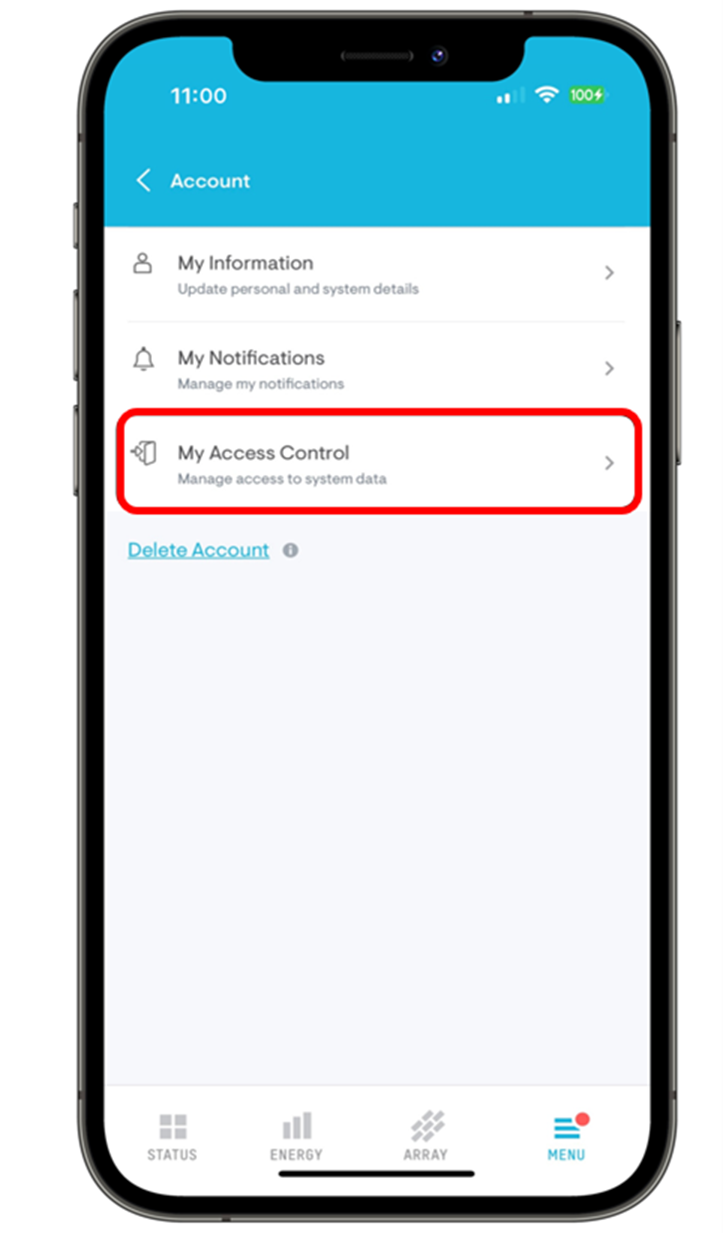
Tap "My Access Control"
On the Account screen, tap My Access Control. This is where you manage which companies can see and service your system.
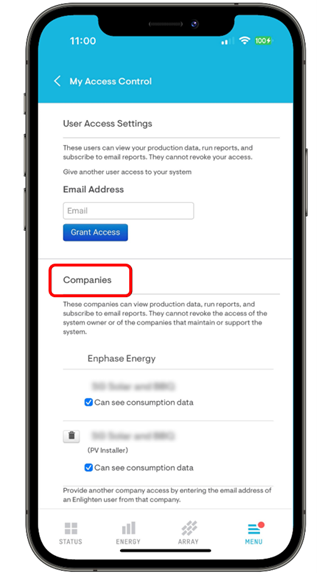
Scroll to the "Companies" section
Under Companies you'll see every company that currently has access to your system — usually your original installer.
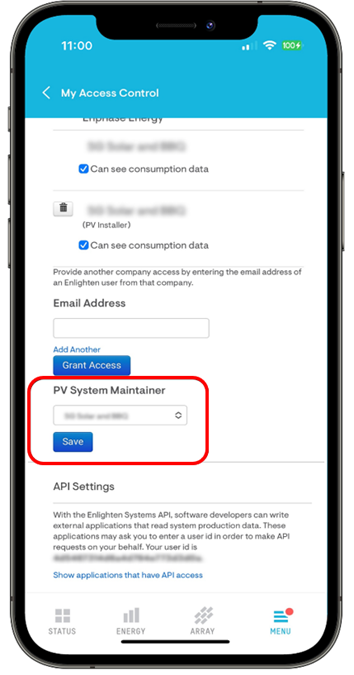
Add Seed Solar and tap "Grant Access"
In the Email Address box, enter support@seed-solar.com and tap Grant Access. That adds Seed Solar to your list of companies.
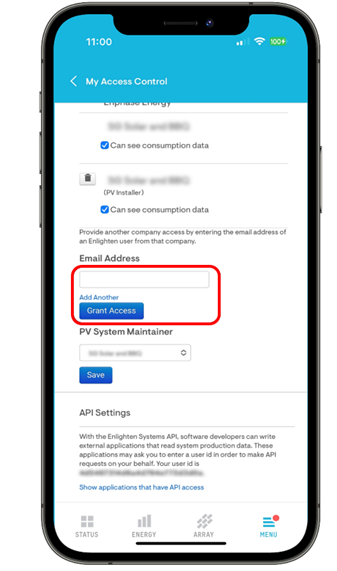
Set Seed Solar as your maintainer and tap "Save"
In the PV System Maintainer drop-down, select Seed Solar, then tap Save. That's it — our team can now see your system's health, diagnose issues remotely, and service your microinverters.
Screens look a little different?
Enphase updates their app regularly, so the exact wording or placement may vary slightly from the screenshots above (which come from Enphase's official guide). If you can't find the System Maintainer setting — or you'd rather we handle it — just call us. We can walk you through it in a couple of minutes, or request access on our end. You can also see Enphase's official instructions at Enphase Support.
Need a hand with the transfer?
Call us and a real person on our Denver team will walk you through it — no waiting on hold with a national call center.